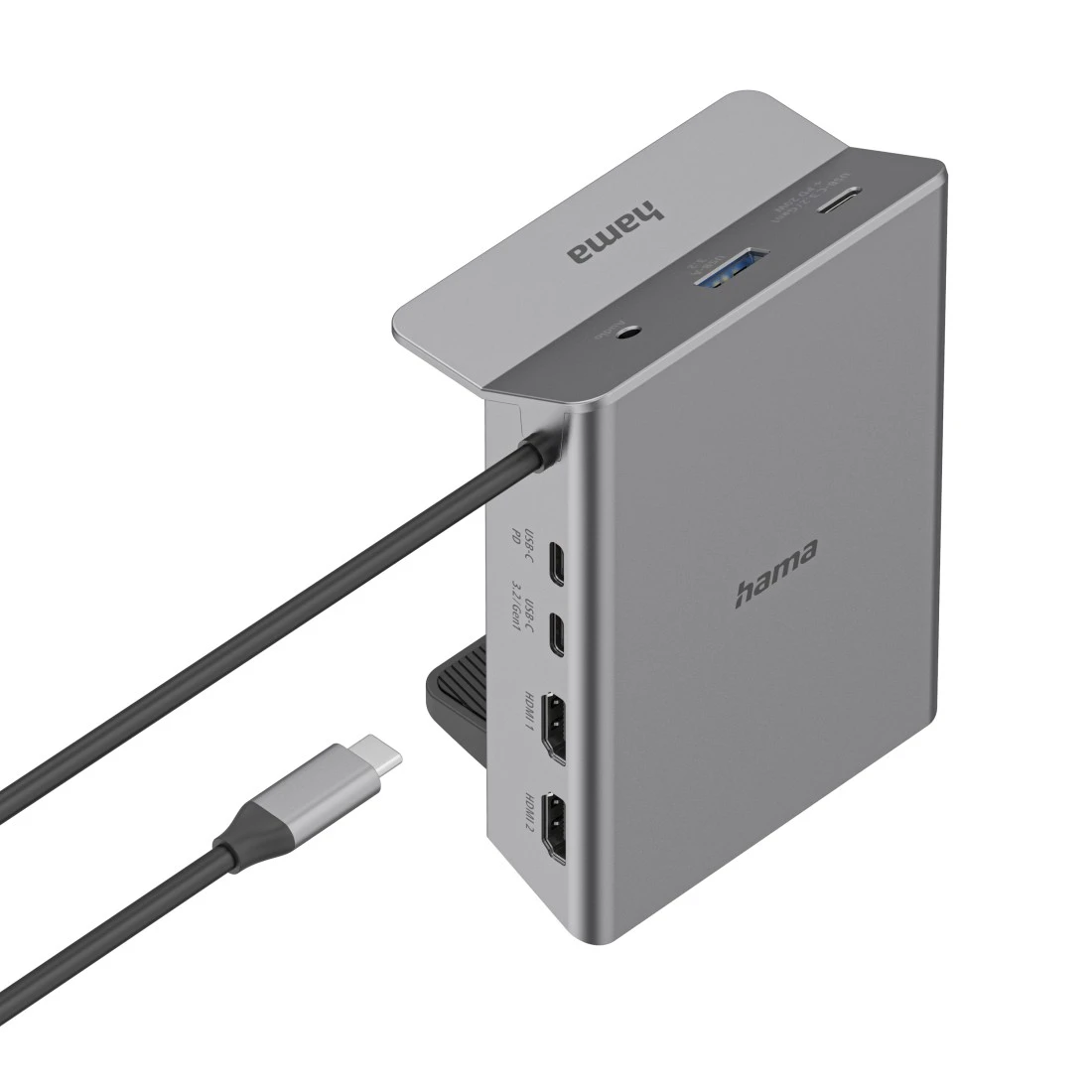

Hama "Connect2Office Clip" USB-C Docking Station, Table Clamp, 10 Ports
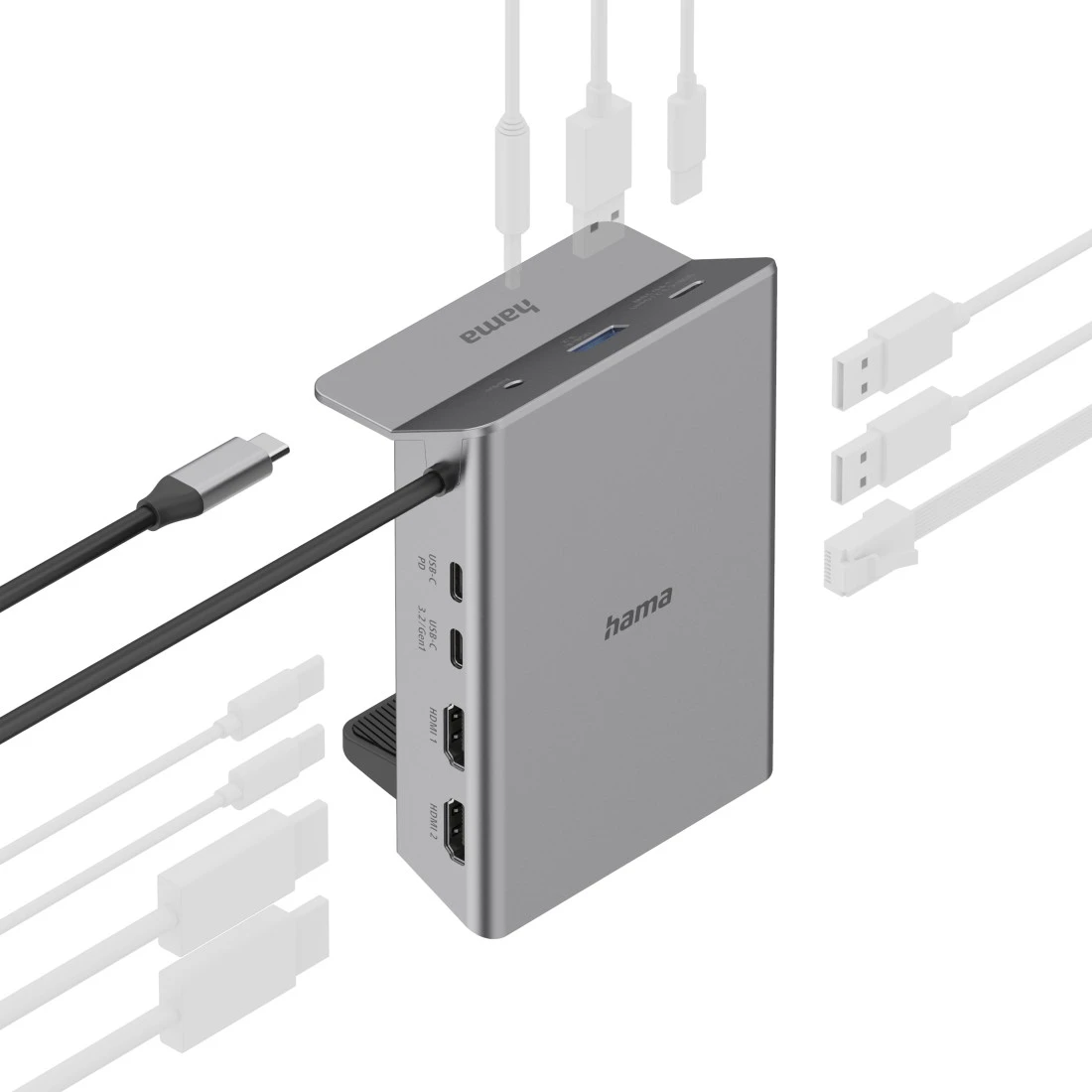
USB-C hub with 10 connections when slots are in short supply (or are to be extended) on a PC, notebook or tablet, or if multiple devices are to be connected / disconnected centrally via a single plug
Is suitable for

Highlights
Attach to the side of the table
On the edge, out of the way: a handy clamp-on docking station for attaching to the side of the tabletop – so you don’t lose any valuable work surface to cables and the like, and everything looks tidy
Docking station for clamping
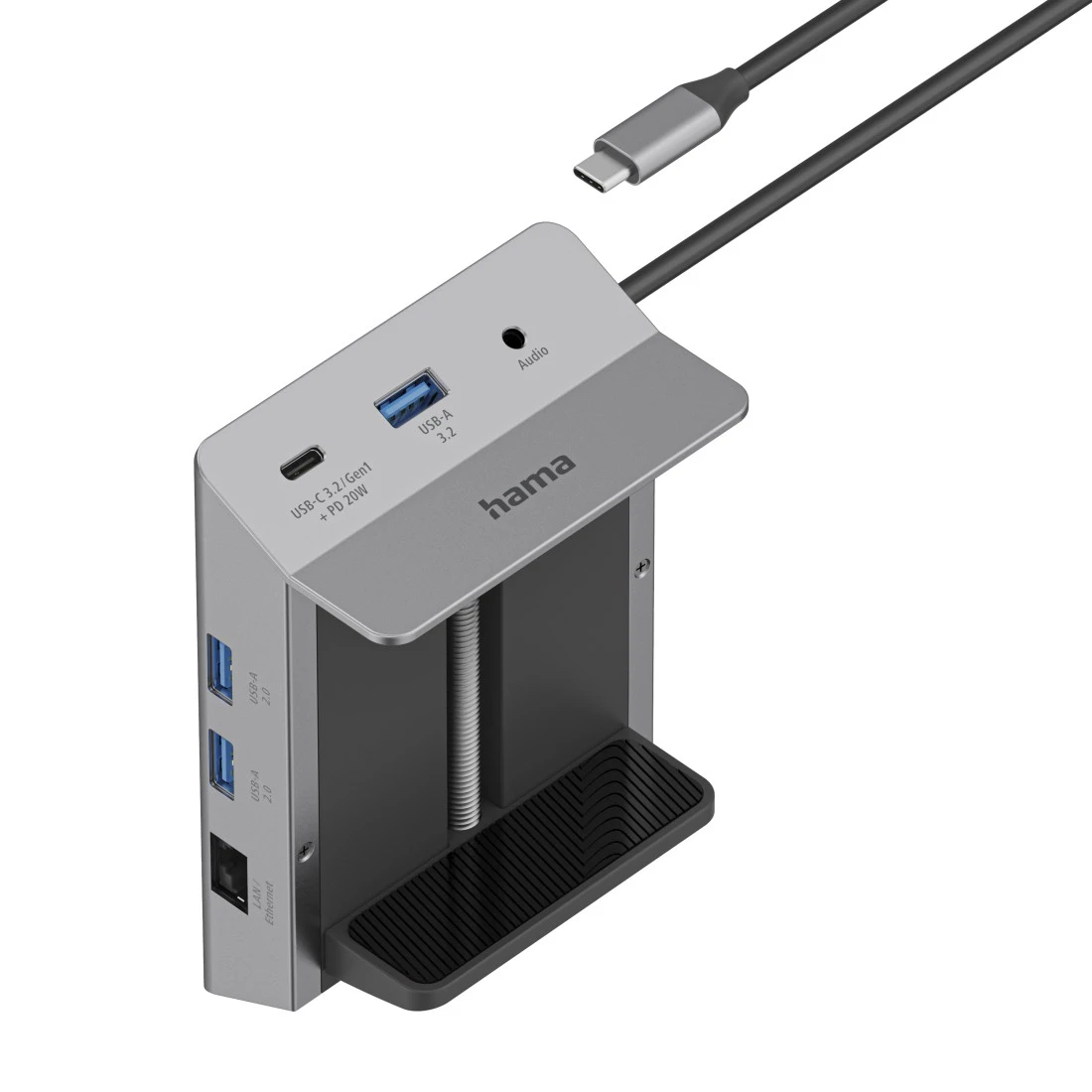
No drilling: the USB hub can be easily attached to the side and removed again using a screw clamp – flexible and versatile
Aluminium surface
High-quality and sturdy aluminium housing with a sophisticated finish
Ultra HD – 4K
For perfect, high-resolution ultra-HD cinema quality with 4096x2160 (4K) pixels
Multi-stream transport for additional monitors
With MST (Multi-Stream Transport), you can connect two additional monitors to a notebook, for example, and use all three screens at the same time with different content
Gigabit data transfer
Gigabit Ethernet data transfer at up to 1 Gbps
Optimised kink protection
Optimised kink protection thanks to flexible and resilient materials prevents cable breakage
Excellent transmission quality
High-quality materials and workmanship guarantee excellent transmission quality
Greater distance between sockets
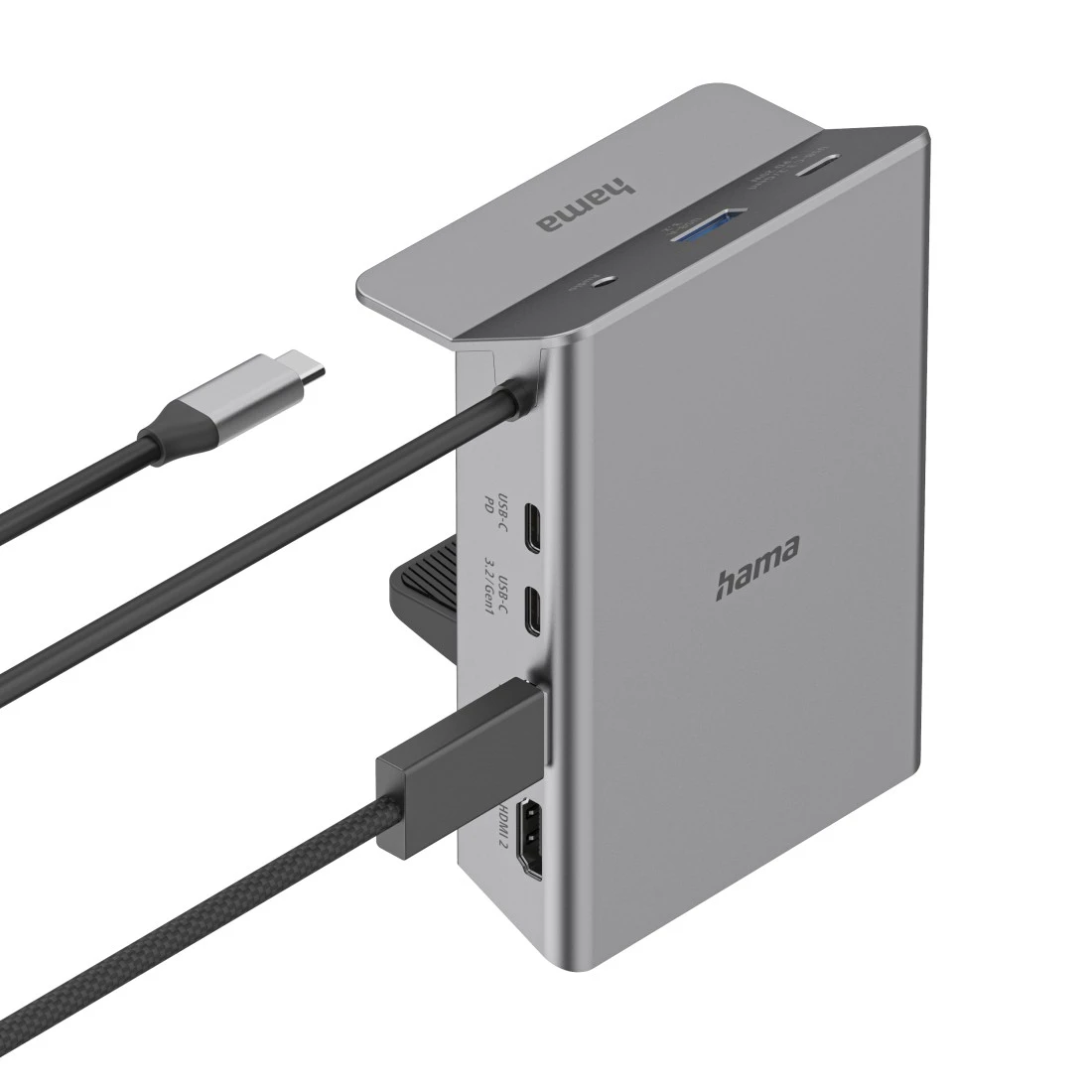
Great distance between sockets makes it easier to plug in wider USB plugs/dongles
| Colour | Black |
| Productline | Essential Line |
| Shade of colour | Black |
| Quality | Essential |
| Audio Connection | 3,5-mm-Jack-Rifle 4 Pin |
| Connection | USB-C-plug |
| Connection Cable | Integrated |
| Connection Details | 1x 3.5mm-Jack-Audio / 4-pol. / HiFi Stereo, 1x LAN/Ethernet / Gigabit / max. 1 Gbit/s, 1x USB-A / USB 3.2 Gen1 / max. 5 Gbit/s, 1x USB-C / Power-Delivery / max. 5-20 V - 5 A - 100 W, 1x USB-C / USB 3.2 Gen1 / max. 5 Gbit/s, 1x USB-C SOCKET (USB 3.2 GEN 1+PD20W), 2x HDMI™ / High Speed HDMI™ / max. 4K@60 Hz, 2x USB-A / USB 2.0 / max. 480 Mbit/s |
| USB Standard | USB 3.1 Gen 1 |
| Charge Technology | Power Delivery |
| Max. Resolution | 4k (3840 x 2160) |
| Maximum Connected Load | 100 W |
| Network Speed | 10/100/1000 Mbps |
| Number of Connections | 10 |
| Type | USB-C Docking-Station |
| Cable Length | 0,50 m |
| Width x Depth x Height | 8.86 x 2.6 x 12.5 cm |
| Depth (Body) | 2.6 cm |
| Height (Body) | 12.5 cm |
| Width (Body) | 8.86 cm |
| Power Supply | USB Connection |
- USB-C hub with 10 connections when slots are in short supply (or are to be extended) on a PC, notebook or tablet, or if multiple devices are to be connected / disconnected centrally via a single plug
- Angled sockets on the side allow the easy and convenient connection of USB and audio devices
- For clamping to table tops with a thickness of 0.5 to 8 cm
- Plug & Play, no manual software / driver installation required
- Compatible with Thunderbolt 3/4/5 (lightning symbol)
- Power supply via USB
- Integrated USB-C connection cable (50 cm) for connection to the laptop or tablet
Connections: - 3 x USB-A: for e.g. external hard drive, USB stick, mouse, keyboard, printer
- 2x USB-C data: for e.g. external hard drive, USB stick, mouse, keyboard, printer or fast charging up to 20 W for smartphones, tablets, etc.
- 1 x USB-C power: for e.g. PD charger, PD power supply unit, PD power pack
- 2 x HDMI™: for connection to an e.g. monitor, TV or projector
- 1 x LAN/Ethernet: for e.g. cabled Internet / network connections
- 1 x 3.5 mm audio / AUX: for e.g. headphones, headsets or speakers
- 1 "Connect2Office Clip" USB-C docking station
- 1 instruction manual
- Operating system: Windows 11/10/8/7 and Mac OS 10.8 upwards
To use the charging function over USB-C, the device must support USB Power Delivery (USB PD) or Thunderbolt 3/4/5. - To use the monitor function over HDMI™, the device must support DisplayPort Alternate Mode (DP Alt Mode), Thunderbolt 3/4/5 or USB4.
The MST function over HDMI™ works only in connection with current Microsoft Windows operating systems.
